
How to find earthquake data. I go to the United States Geological Survey and I click on Global Earthquake Search. I enter the parameters for the date, which is always 1-1- YYYY to 12-31-YYYY. I plug in the magnitude, which is 5.0 to 5.9 or 6.0 to 6.9 etc. Here is a screen shot:
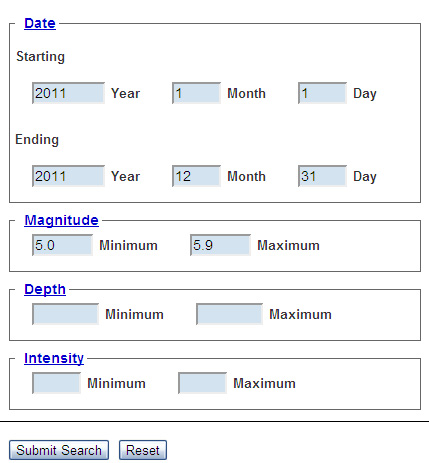
Then the search presents me with data in sum.

I compare the search results with USGS annual averages, here.
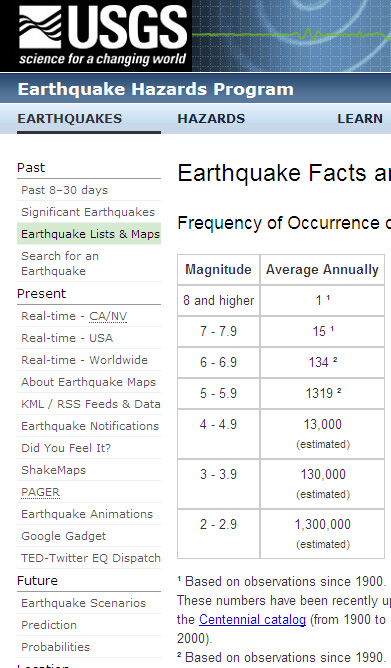
I make a chart in Word by using “table” and plugging in the data I get from USGS search. When I’m done I paste the Word chart into Photoshop. I do it in Word (or Excel) so I can update it more easily. Today I updated the chart I’d last published as of Nov 2011. Click on it to make it bigger.

The number of earthquakes per year is increasing.
Tweethttp://platform.twitter.com/widgets.jshttp://www.facebook.com/widgets/like.php?href=%20http://the-end-time.blogspot.com/2012/02/are-there-more-earthquakes-yes.html
http://s7.addthis.com/js/250/addthis_widget.js#pubid=xa-4df8df7d18b59150

 the-end-time.org